Run involve.me from Claude and ChatGPT

Set up quote calculators, assessments and intake forms, publish them, and ask how they convert and what each lead answered, right from the chat. Every lead lands in the free involve.me CRM.

Rated highly on

Trusted by 4,500+ businesses

Le Creuset logo.
Der Spiegel logo.
BCG logo.
Skyscanner logo.
Marriott logo.
EA logo.
Hershey logo.
AT&T logo.
Panasonic logo.

Build funnels, read results and set up your CRM from the chat

involve.me is the lead capture, CRM and email workflow automation platform. Connect it to Claude or ChatGPT and ask in plain language.

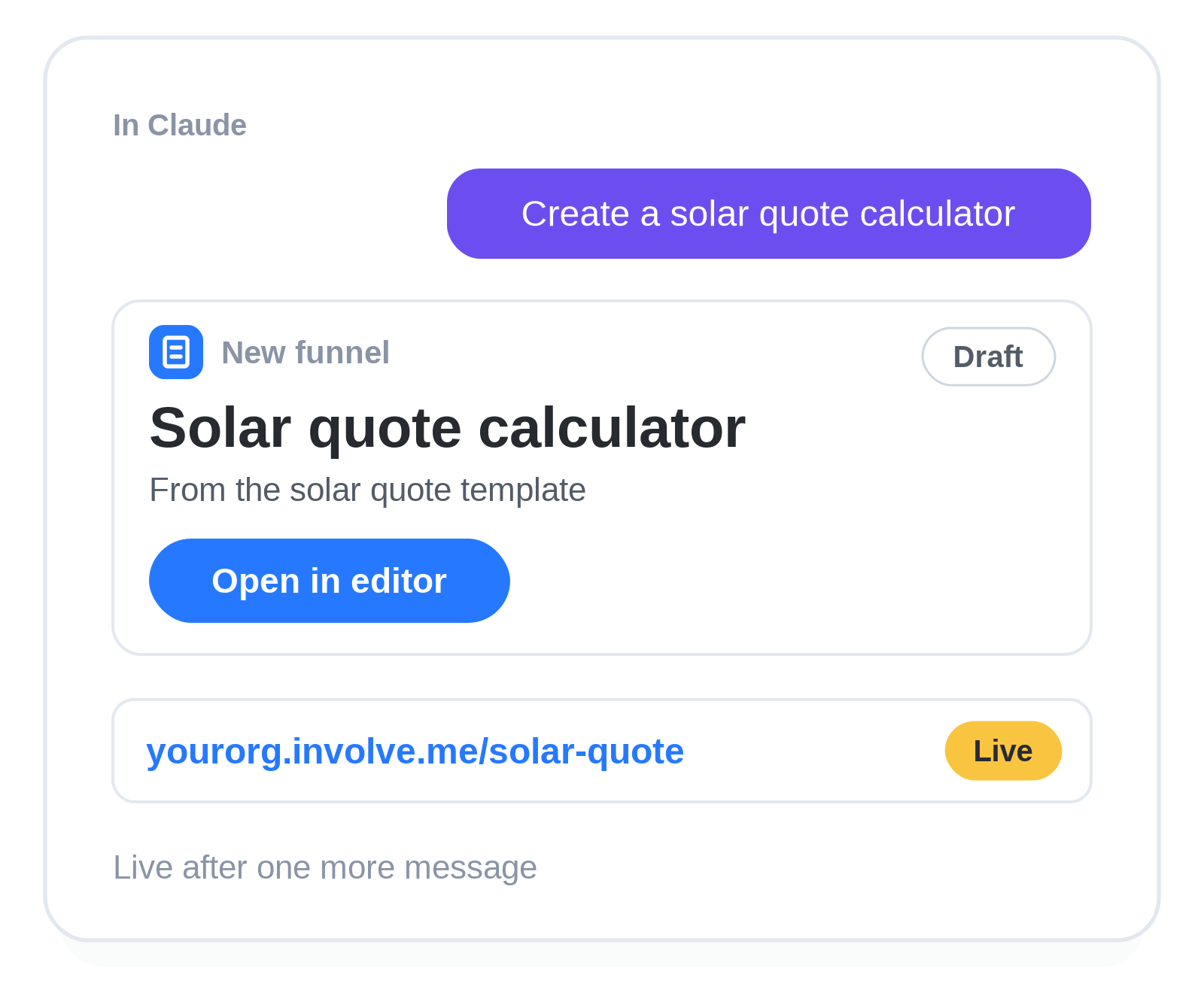
A chat in Claude with involve.me connected: the assistant creates a solar quote calculator draft from a template, and after publishing it shows the live link.

Build and publish funnels

Ask for a quote calculator, an assessment or an intake form. You get a draft from a ready-made template and a link to finish it in the editor with the AI Agent.

  • Start from a template or a funnel you already run

  • Publish, close or reopen with one message, after your OK

  • Rename, move and organize funnels across workspaces

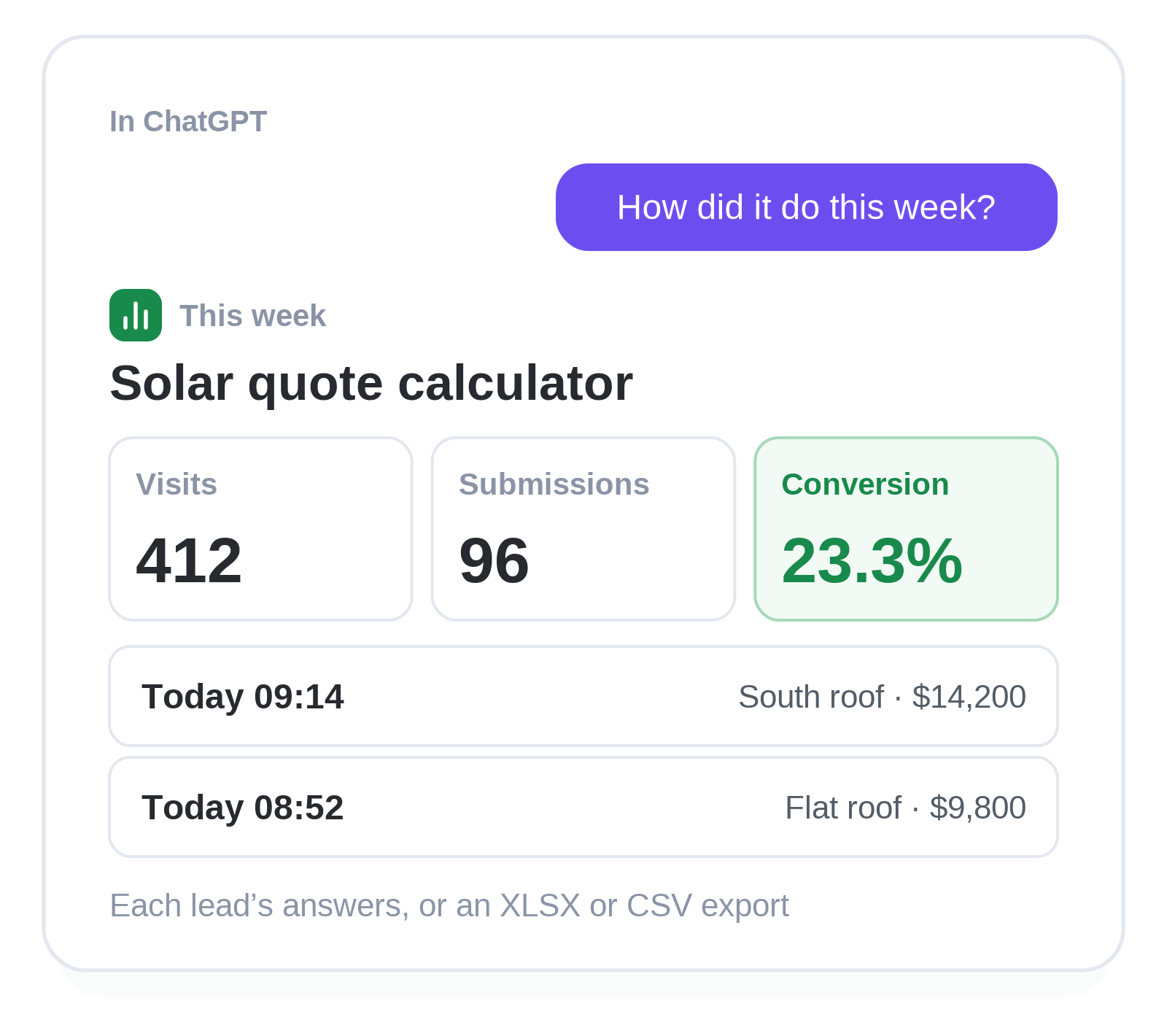
A chat in ChatGPT with involve.me connected: the assistant reports the week for the solar quote calculator, with visits, submissions and conversion, and lists what the latest leads answered.

See how they convert and what each lead answered

Ask for the numbers: visits, submissions and conversion, for one funnel or your whole organization, compared with the period before.

  • What each lead answered, right in the chat

  • Answer breakdowns, outcomes and drop-off points

  • XLSX or CSV exports (breakdowns and exports on paid plans)

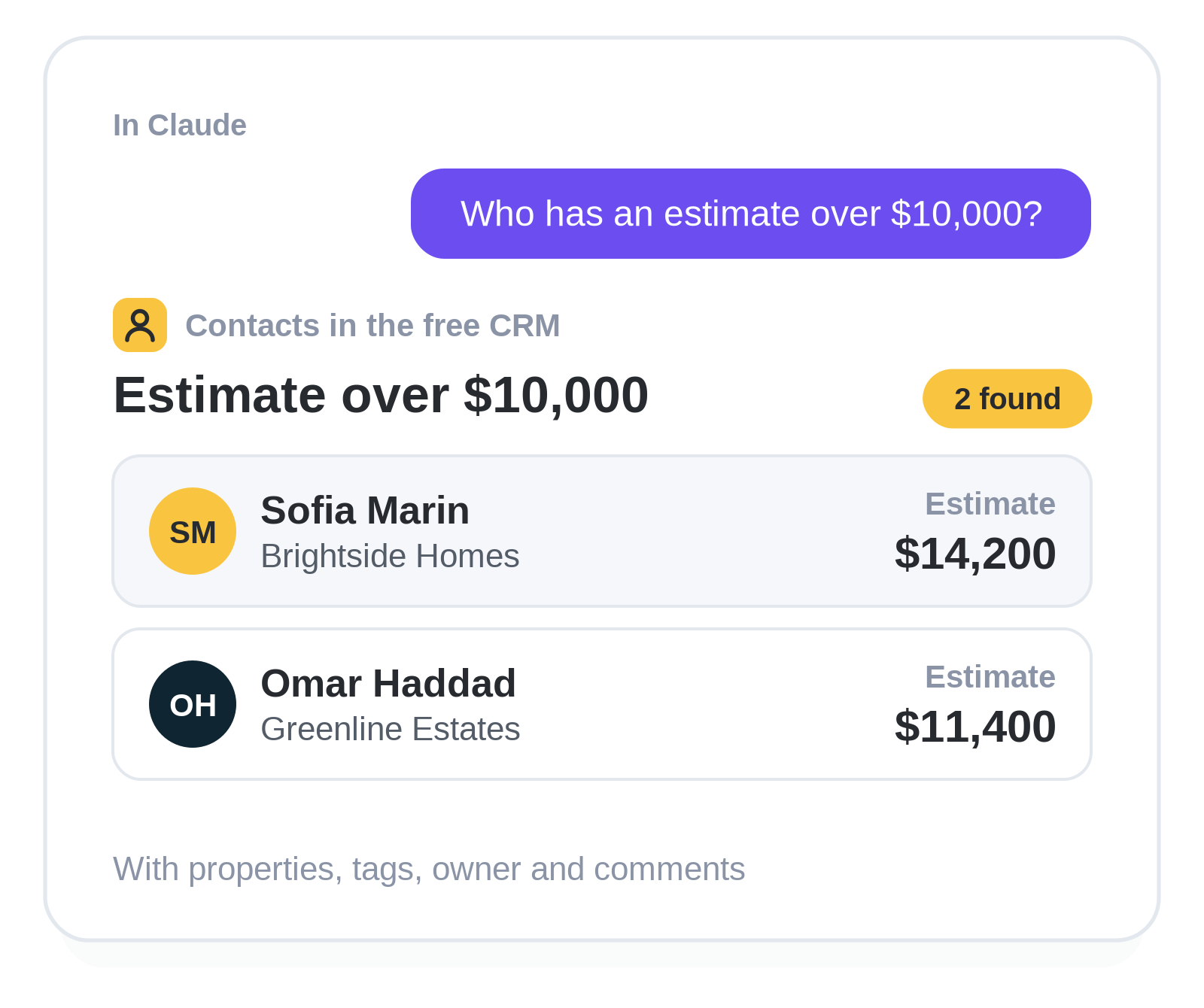
A chat in Claude with involve.me connected: the assistant lists the CRM contacts with an estimate over 10,000 dollars, Sofia Marin and Omar Haddad, with their company and estimate.

Set up the CRM and manage contacts

Every lead lands in the free CRM with its answers. From the chat, look up any contact and decide what gets saved to each one.

  • Create contact properties, tags and segments

  • Choose which answers each funnel saves to the contact

  • Search and filter contacts, with their properties, tags, owner and comments

The pipeline board and your email workflows (paid plans) pick up from there.

Connect involve.me to Claude, ChatGPT, Grok and more

1. Add involve.me

Find involve.me in the Claude directory or under Plugins in ChatGPT and add it.

2. Sign in

Sign in with your involve.me account. No account yet? Create one for free, no credit card needed.

3. Start asking

Open a new chat and ask for what you need. In ChatGPT, type @ and pick involve.me first.

In Grok and other assistants, add involve.me with the server URL https://app.involve.me/mcp.

Need a hand? Open the setup guide.

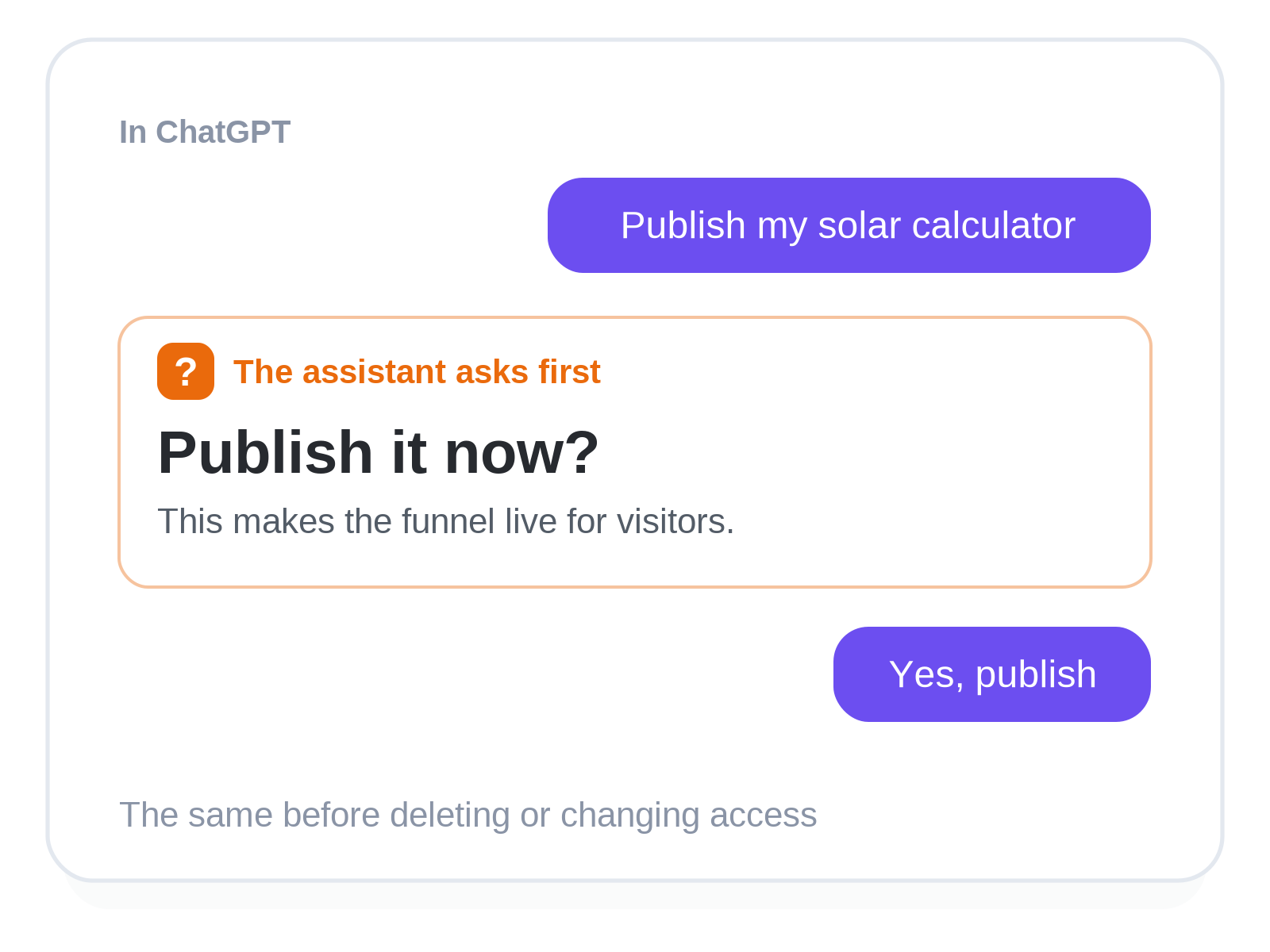
A chat in ChatGPT with involve.me connected: before publishing, the assistant asks Publish it now? and waits for the reply Yes, publish.

You stay in control

The connection has the same access as your involve.me account, and each teammate connects with their own login.

  • The assistant asks before it publishes, deletes, changes access or sends an invitation

  • Lead answers and contact details reach the assistant only when you ask

  • You sign in at app.involve.me, so Claude and ChatGPT never see your password

Disconnect anytime in Claude or ChatGPT.

SOC 2® Type II audited and GDPR-compliant by design

Technical details

For developers and IT reviewers: the involve.me MCP server at a glance.

Server URL

https://app.involve.me/mcp
Type
Remote MCP server (Model Context Protocol) over Streamable HTTP
Sign-in
OAuth with PKCE, as an involve.me user
Rate limit
60 requests a minute for each signed-in user
Works with
Claude, ChatGPT, Grok, Cursor and clients that sign in through a local address, such as Claude Code
Listed in
Claude directory, ChatGPT Plugins and the MCP Registry (me.involve/mcp)
Access
The signed-in user’s organizations and workspaces, with the same roles

25 tools. Schemas are returned by the server after sign-in.

Funnels

template_queryfunnels_queryfunnels_createfunnels_editfunnels_updatefunnels_set_statusfunnels_delete

Reporting and responses

funnels_get_analyticsorganizations_get_analyticsresponses_queryresponses_exportresponses_delete

CRM

crm_contact_querycrm_config_getcrm_config_updatecrm_config_delete

Account

account_get_contextbilling_queryorganizations_createorganizations_updateorganizations_invite_membersworkspaces_createworkspaces_updateworkspaces_deleteoperations_get

involve.me MCP server FAQ